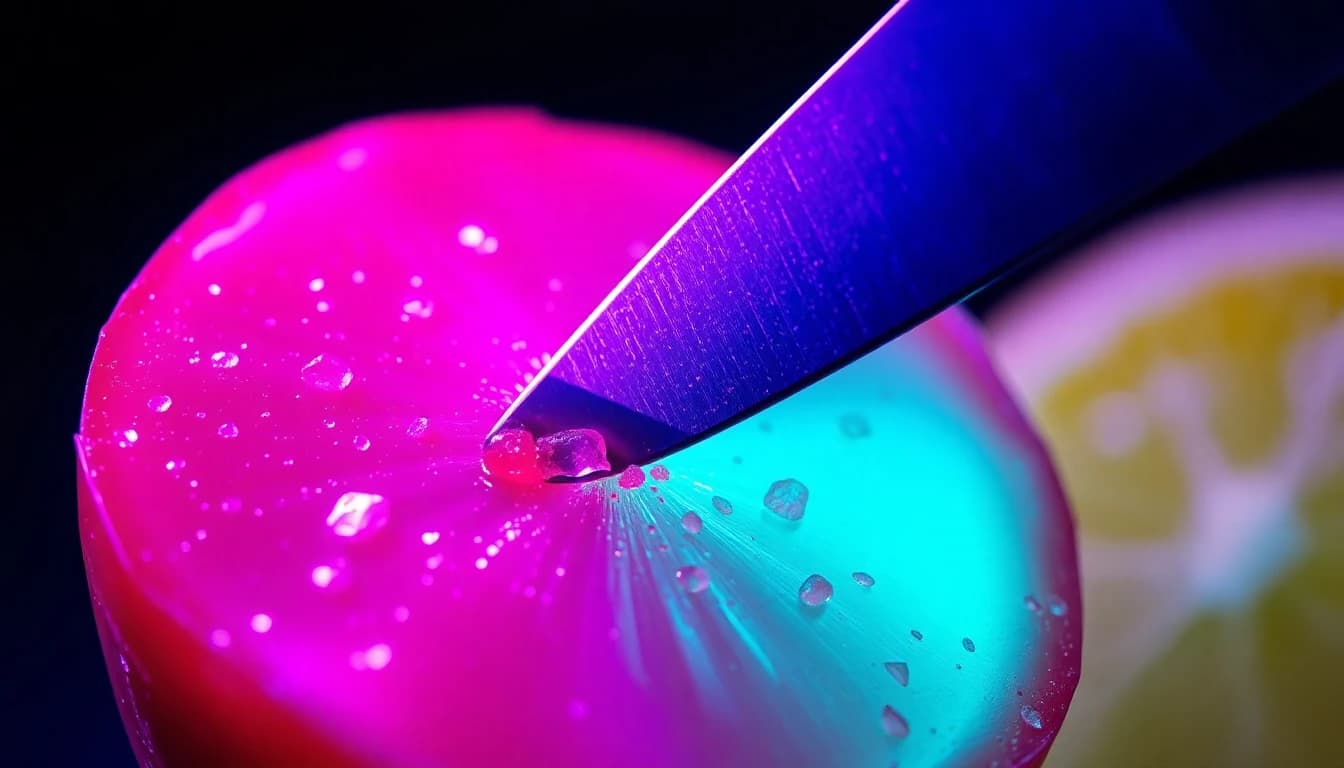
An AI ASMR video is a short, extreme-close-up clip — a knife through glass-like candy fruit, scissors through soap, a spoon cracking through crème brûlée — generated with sound built into the same render as the picture, not layered on afterward in an editor. The fastest way to make one is to pick a model whose audio track is always on, describe the texture and the sound it makes in the same prompt, and keep the shot to a single continuous action. Not every AI video model generates sound automatically, so which one you pick decides whether the finished clip has real audio or needs a separate pass.
VIBE is an AI video generator app that lets you create stunning videos from text prompts or images using the latest AI models like Kling, Sora, and Veo, and several of its models generate native, synchronized audio in the same pass as the video — exactly what a satisfying AI video needs to actually sound satisfying.
The oddly-satisfying genre — crinkling packaging, soap cutting, kinetic sand, and the glass-fruit-cutting trend that spread across TikTok — long predates AI video, but generative models turned it into something anyone can make without a microphone, a studio, or editing software. This guide covers what an AI ASMR video generator actually needs, which VIBE models generate audio automatically versus optionally, how to write a prompt for texture and sound together, and how to keep a clip looping cleanly. For a wider look at what else spreads on short-form platforms, see what actually makes AI video clips go viral.
What Is an AI ASMR Video Generator?
An AI ASMR video generator is any AI video model that renders a close-up, sound-driven clip — a texture being cut, crushed, poured, or tapped — with audio generated in the same pass as the picture. That is what separates it from an ordinary AI video generator app: the sound has to be synchronized to the visual action on the exact frame it happens, not added afterward, or the satisfying effect breaks immediately. ASMR itself is a term coined in 2010 to describe a tingling, relaxing response to specific sounds and visuals — tapping, whispering, crinkling, cutting — and the AI version leans on the same handful of triggers, just generated instead of filmed.
Not every model in an AI video generator app treats audio the same way. Some generate a synchronized track on every clip with no way to turn it off; others make audio an optional toggle you have to switch on before generating; and a few generate no sound at all. For this format specifically, that distinction matters more than resolution or duration, because a silent "ASMR" clip is not really ASMR — the entire genre is built around sound.
How Do I Make an ASMR Video With AI?
Making an ASMR video with AI comes down to four steps: pick a text-to-video model with native or reliably-toggled audio, describe the texture and its sound in one prompt, keep the camera close and mostly still, and generate a clip short enough to loop. None of this requires a microphone, a recording setup, or editing software — the sound comes out of the same generation as the video.
- Pick a model that generates audio on every clip, not just one with an optional toggle, since a satisfying video with no sound is not satisfying. Several catalog models, covered below, generate audio automatically with no switch to flip.
- Frame an extreme close-up. The subject should fill most of the frame — a blade, a hand, the texture itself — since ASMR content depends on visible detail, not a wide establishing shot.
- Describe the material and the sound together in one prompt, not two separate instructions: what it is made of, what is happening to it, and what it should sound like.
- Keep the camera almost static. A slow, minimal push-in reads as intentional; a moving or panning camera pulls attention away from the texture and the sound.
- Generate a short clip, 4 to 8 seconds, built around one continuous action so it can loop without an obvious cut.
Which AI Models Generate ASMR Video With Real Audio?
A handful of models inside VIBE generate native audio AI video on every clip, with no toggle to switch on first — these are the ones worth starting with for ASMR work specifically:
- Sora 2 (OpenAI) — 720p, 4, 8, or 12 second clips, native synchronized dialogue and sound effects on every clip, no toggle.
- Seedance 2.5 (ByteDance) — 480p or 720p, any whole second from 4 to 30, synchronized audio including dialogue, and up to four reference images to keep a prop looking the same across several clips.
- Veo 3.1 Lite (Google DeepMind) — 720p, 4, 6, or 8 seconds, the cheapest of VIBE's three Veo 3.1 tiers, with audio always on; standard Veo 3.1 and Veo 3.1 Fast make audio an optional toggle instead.
- WAN 2.7 (Alibaba) — 720p, any whole second from 2 to 15, and the only model here that also accepts an uploaded voice or music track, up to 30 seconds and 15 MB, to sync the clip's motion to a specific sound instead of generating one from scratch.
- Happy Horse 1.1 (Alibaba) — 720p or 1080p, 3 to 15 seconds, audio always on with no toggle.
- PRUNA V (Pruna AI) — VIBE's only free-tier model with always-on audio, 720p, 2 to 10 seconds, and the only one here that lets you upload your own audio file to sync the video to it.
Models with optional audio — Kling v2.6, Kling O3, Kling 3, and standard Veo 3.1 — still work for ASMR, but generating without checking the toggle first produces a silent clip, which defeats the format entirely.
How Do You Write an ASMR Prompt for Texture and Sound?
An ASMR prompt for AI video needs three things in order: the material and its physical state, the action being done to it, and the specific sound that action makes — written as part of the same sentence, not a separate note. A prompt that only describes the visual, "a knife cutting fruit," leaves the model to guess at the sound; naming the sound directly, "a sharp crack and a wet slice," gives it something concrete to render.
- Extreme close-up of a knife slicing through a glass-like candy fruit, a sharp crack followed by a wet slicing sound, studio lighting, slow motion.
- A hand slowly crumples a sheet of foil into a ball, crinkling and rustling sound layered with each fold, soft top-down light.
- Scissors cutting through a bar of soap in one continuous slice, a low resistant scraping sound, extreme macro, static camera.
- A spoon cracks through the caramelized top of a crème brûlée, a sharp brittle snap, steam rising, warm side light.
- Kinetic sand being cut with a knife in one smooth pass, a soft crumbling sound, pastel-colored sand, top-down close-up.
- A hand slowly peels a sticker off a glossy surface, a faint tearing and peeling sound, macro focus on the sticker's edge.
- Honey being poured slowly over a stack of pancakes, a thick pouring and dripping sound, warm morning light, static overhead shot.
- A wax candle being carved with a small knife, wax curls falling in slow motion, a soft scraping sound, single spotlight.
- Water droplets sliding down a leaf in extreme macro, each drop catching a faint tapping sound as it lands, natural daylight.
- A hand slowly presses into a bowl of dry, colorful clay beads, a soft crunching sound, close overhead angle, muted studio light.
Ten variations of the same formula — material, action, sound — cover most of what makes this kind of clip work. Swapping the material and the described sound while keeping the same structure is usually faster than writing a new prompt from scratch for every clip.
Make your first AI video in 60 seconds
Generate AI videos with Kling, Veo, Sora and more — free on iOS and Android.


What Is the Best Free AI ASMR Video Generator?
The best free AI ASMR video generator is one with an audio-always model on its free tier, since a silent free model defeats the format before you even start prompting. Inside VIBE, PRUNA V is the only free-tier model with audio on every clip — it generates 720p clips from 2 to 10 seconds and, uniquely among the free models, accepts an uploaded MP3, WAV, or FLAC file so a clip can sync to a specific sound instead of one the model invents. LTX 2.5 Fast is also free-tier eligible and generates audio automatically with no toggle, though a never-paid account is capped at 5-second clips in 720p; the same model scales up to 4K on a premium plan. Neither free option matches the reference-image consistency or longer duration of premium models like Seedance 2.5, but both are enough to test whether this kind of AI video generator fits your workflow before paying for anything.
How Do You Make an AI ASMR Video Loop Seamlessly?
A seamless loop comes from matching the first and last frame of the clip, not from trimming a random cut point after the fact. Three approaches work inside VIBE:
- Describe a repeatable action instead of a one-time event — a spoon repeatedly tapping a jar, or liquid continuously pouring, loops more cleanly than a single crack or snap that has an obvious beginning and end.
- Use a model with last-frame interpolation, like LTX 2.5 Fast, which accepts both a first frame and a last frame as input; setting the last frame to closely match the first frame produces a loop with no visible seam.
- Trim a few frames off each end in a phone video editor after export, since most models render a fraction of a second of settle time at the very start and end of a clip that reads as a stutter when looped without trimming.
Shorter clips loop more forgivingly than longer ones — a 4 to 6 second clip built around one repeatable motion is easier to make seamless than a 15-second clip with several distinct beats.
Which Model Fits Glass, Fruit, or Soap-Cutting ASMR?
Cutting-texture ASMR — glass fruit, soap, kinetic sand, foil — depends on close, continuous camera work and a sound that matches the exact moment the blade makes contact, which makes the choice of model mostly about audio timing and prop consistency rather than resolution. The glass-fruit-cutting trend that spread widely on TikTok pairs a translucent, candy-like prop with a sharp crack-and-slice sound, and it works well on any of the audio-always models above, particularly Seedance 2.5 or Veo 3.1 Lite, since both generate the sound in the exact frame the cut happens rather than as a looped effect layered over the top. For a set of clips that need to look like the same prop from multiple angles — several cuts through what should read as one piece of fruit — Seedance 2.5's four reference images keep the shape and color consistent across separate generations. WAN 2.7 is the better pick when a specific pre-recorded sound, a particular knife-on-glass recording, needs to drive the video instead of a sound the model invents on its own.
Frequently Asked Questions
What is an AI ASMR video generator?
An AI video model that renders a close-up, sound-driven clip with audio generated in the same pass as the picture. VIBE is an AI video generator app that lets you create stunning videos from text prompts or images using the latest AI models like Kling, Sora, and Veo, and several of them generate this kind of native, synchronized audio automatically.
Can AI generate ASMR videos with real audio, not just visuals?
Yes, on models built for it. Sora 2, Seedance 2.5, Veo 3.1 Lite, Happy Horse 1.1, and PRUNA V all generate synchronized audio on every clip with no toggle to switch on, so the sound comes out of the same generation as the video.
What is the best free AI ASMR video generator?
PRUNA V, VIBE's free-tier model with always-on audio and support for an uploaded audio file, is the strongest free starting point. LTX 2.5 Fast is also free-tier eligible with automatic audio, though free accounts are capped at 5-second, 720p clips.
Does VIBE support uploading my own sound for an ASMR clip?
Yes, on two models. WAN 2.7 and PRUNA V both accept an uploaded voice or music file and sync the clip's motion to it, instead of generating a sound from the prompt alone.
How long should an AI ASMR video clip be?
Most work best between 4 and 8 seconds — long enough to show one complete action and its sound, short enough to loop cleanly without several distinct beats competing for attention.
Is AI ASMR video the same as the glass-fruit-cutting trend on TikTok?
Glass-fruit-cutting is one specific format within the broader AI ASMR video category — a translucent, candy-like prop paired with a sharp cutting sound. The same audio-always models and prompt structure apply to any other texture, from soap to kinetic sand.
Conclusion
AI ASMR video works the same way any other satisfying content works — close camera, one clear action, and a sound that matches it exactly — the only difference is that the sound and the picture now come out of the same generation instead of a separate recording session. Picking a model with audio always on, from Sora 2 and Seedance 2.5 down to the free-tier PRUNA V, matters more than any single prompt trick, since a silent clip is not ASMR regardless of how good the visual looks. VIBE brings every one of these audio-capable models into one AI video generator app on iOS and Android. Download VIBE and generate a first ASMR clip to hear the difference native audio makes.